10. Odin1 Relocalization
10.1 Overview
Odin1 currently supports three operating modes: ODOM (odometry), SLAM, and Relocalization. Switching between modes is done by editing the
custom_map_modeparameter in/catkin_ws/src/odin_ros_driver/config/control_command.yaml.
When Odin1 is stationary, relocalization may match incorrectly or fail to match. In this scenario, while ensuring device safety, move the device forward/backward or rotate it to speed up relocalization and improve stability and success rate.
10.2 How to Use
-
Step 1: Set
custom_map_mode = 1to enable SLAM mode and start recording the map. In this mode, loop closure detection is performed when the recorded point cloud returns to the same scene. -
Step 2: Once map collection is complete, do not terminate the driver directly with
Ctrl+C. Instead, open another terminal, go to/catkin_ws/src/odin_ros_driver, and run./set_param.sh save_map 1. Wait until the driver terminal indicates that the map has been saved before stopping the driver. The map will be written as abinfile to the user-specified directory; if no directory is set, it is saved to themapfolder, named with the end timestamp. -
Step 3: In
control_command.yaml, setcustom_map_mode = 2and configure the path to the map file (including extension), e.g./home/hugo/map/office.bin. -
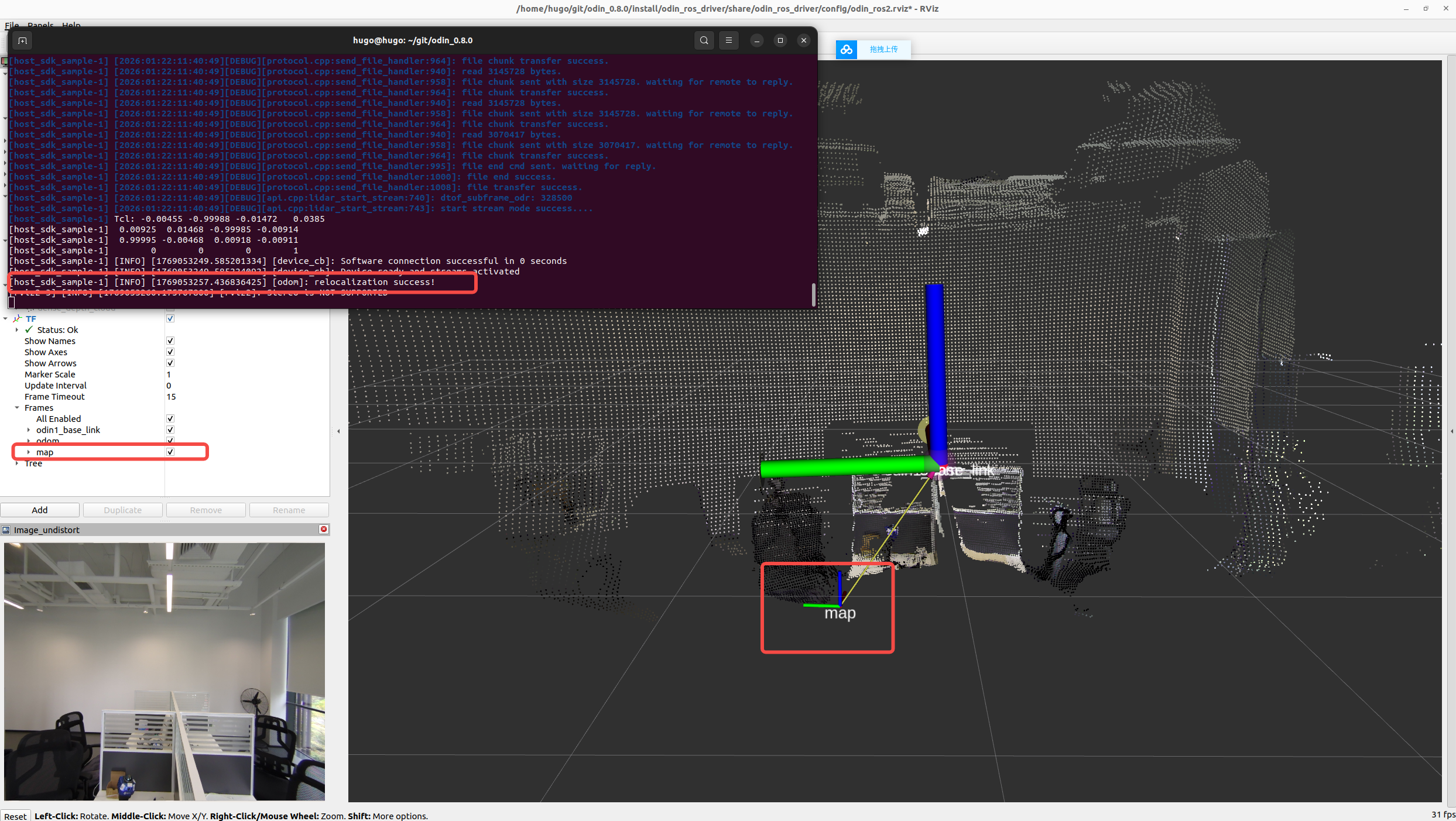
Step 4: Re-run the driver. Odin cannot relocalize while stationary; we recommend moving the device for a short distance after starting the driver. Successful relocalization is indicated by the terminal message
[INFO] [1769564323.183375282] [odom]: relocalization success!, and the/mapframe appears in/tf.
After entering relocalization mode, if localization fails or the pose has an offset, rotate the platform left/right or move it forward/backward so that the scene observed by Odin changes; this helps relocalize accurately.